The #1 mobile app platform worldwide
The #1 mobile app platform worldwide
Mar 18th

By now, you’ve probably heard of geofencing – you may have even experienced it for yourself – but you may still have some questions about how it works, and more importantly, how it can work for your business.
Let’s hit the basics first. Your business can easily build an app with an online app builder, and ask customers and fans to download it. One of the possible functions you can include in the app is geofencing. (Available early April 2014)
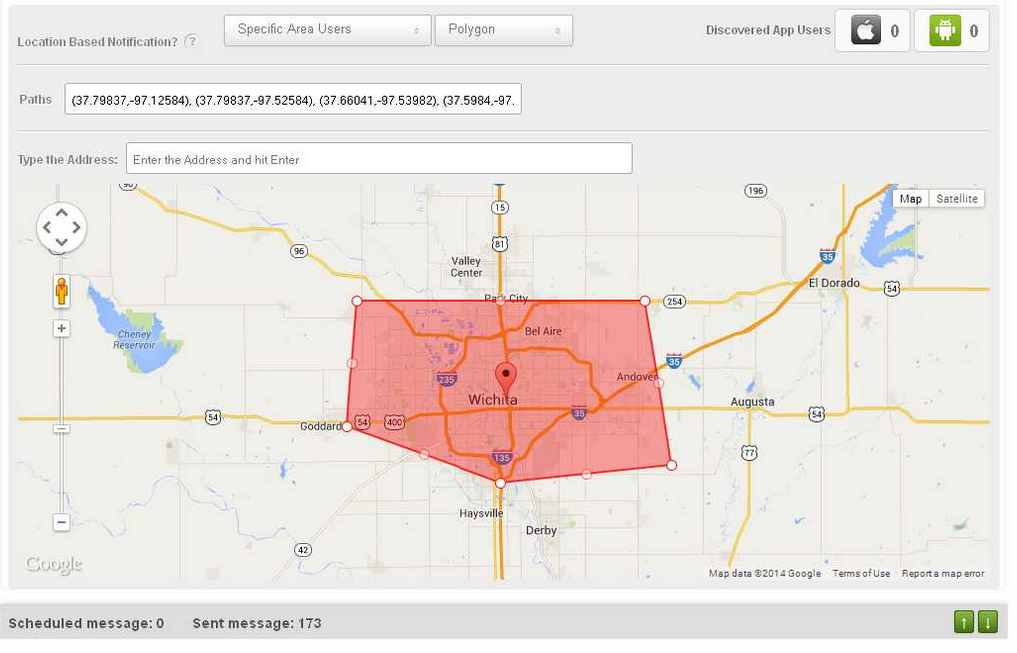
Geofencing is the establishing of a virtual fence around a predefined geographic area. When one of your app users enters or exits the area, you can set your app to push a message to the user. Thus, the geofence allows you to send location-specific messages to your fans when they’re in the area.
How is geofencing used?
Many businesses use geofencing to simply send special offers to customers when they walk or drive near a business’s location. Beyond that, however, lays a ton of variety. For example, real estate agencies can push notifications to possible buyers when they come near open houses, and bands can send messages to fans when they walk by a concert venue the band will be performing at soon.
But businesses are not limited to using their own locations!
A law firm could, if it wished, send a notification to a user when he or she entered a bail bonds office. A coffee shop could trigger a notification when a fan walked into another coffee shop. A wedding planner could trigger notifications when fans travel into various wedding-related venues, and offer helpful tips.
The possibilities are quite broad, and many businesses are still exploring them. If you’re creative, geofencing can open up a lot of interesting new possibilities for your business.
When it comes to the radius of your main geofence, smaller is better
It’s clear that businesses can set the radius of their main location’s geofence to whatever size they wish, but what’s the right size? Well, a citywide radius obviously won’t help much – it lacks the convenient linkage between message and proximity to the sender. Instead, if your business has a lot of competition, it’s best to focus on your own backyard. Literally. Keep in mind, however, that if you’re the only game in town, a bigger radius is fine.
Other key considerations
Geofencing is not just about bombarding users with messages whenever they go places. If you do that, they’ll opt out of your messaging altogether or delete your app. Instead, the customer has to come first. Always consider whether or not you would want to receive your messages as a hypothetical user, and think about the value your program provides.
To accomplish this, don’t think of geofencing as just another way to sell to your audience. Instead, use it as an organic way to connect and add value. You wouldn’t want your favorite companies exploiting every channel to boost sales, but if they pop up every now and then with something timely, relevant, and useful, it can be kind of neat.
Therefore, your goal should be to use your geofence messages to improve your customers’ experiences, and provide them with benefits. If you can do that, while also driving traffic to your location and activity on your promotions, so much the better. But remember that if you want your geofencing program to be a success, put the customer ahead of yourself.
Do that, and the rest will fall in place.
Mar 14th
The heart of geofencing is exactly what it sounds like – a virtual fence around a geographic area. Establishing a geofence and linking it to a mobile device like a smartphone allows you to know when a person has entered or exited the defined geofenced location.
For most small businesses, this information is used to trigger a push notification to the person.
Example 1 - Dry Cleaner.
A dry cleaner in a city establishes a two-block radius geofence centered on its main location. The dry cleaner’s customers have downloaded its app, and are trackable in the dry cleaner’s system. When a customer carrying their mobile device enters the geofenced area, a push notification comes up reminding him or her that an order is ready for pickup. Customers love the reminder, and never forget their orders, and the dry cleaner is able to offer a value-add that doesn’t take up any extra manpower or energy.
Example 2 - Bakery.
A trendy bakery is cooking up mega-batches of a new cookie. To help spread the word and get feedback, the bakery sets its geofence notification to invite fans to come in for a free sample. Not only do they get all the info they need on their new cookie recipe, they drive a ton of traffic and sell out their case of cakes, too!
Example 3 - Real Estate Agent.
A real estate agency has an app that active searching buyers often download. The agency can establish a geofence around its listings when they are holding open houses. When a potential buyer enters the geofenced zone, they get a notification of the open house, and head over to check it out if interested.
The Flexibility of Geofencing
A geofence can be set at nearly any distance you like. You can include an entire city, or you can have it extend just out to a sidewalk in front of your location. GPS technology is quite sensitive, and therefore, so is geofencing.
As you can see from the examples above, push notifications triggered by geofences also don’t have to just be messages about deals, they can cover lots of different things for lots of different purposes. In fact, the message can include a link to any location on the web, including a page you design specifically for a particular campaign. Therefore, geofencing may have applications for a wide variety of small businesses. How to deploy it, and make it serve your needs, is up to you.
The geofence doesn’t even have to be centered on your location. If you have a pizza joint, and want to trigger a message to your fans as they leave the bar, you can. There are many creative ways to use geofences.
Who Benefits?
Geofencing obviously can be used to drive traffic to your business. That’s the benefit to you. But you also have to keep your customers in mind. Geofencing needs to be used to improve their experiences and deliver value, or they won’t keep it enabled.
You can also use geofencing to gather data about customers and study their behavior to understand them better. This information can help you evaluate the effectiveness of ads, store layout, and lots more.
Geofencing is definitely an idea whose time has come. If you want to learn more about creating your own mobile app with geofencing, head here.

Jul 15th
Hello everyone,
At Bizness Apps we’re always working hard to rapidly improve our platform and below you will find the latest upgrades we’ve made over the past couple months.
- Location Push Notifications
- Dynamic “Offers” Push Notifications
- Advanced App Analytics
- Custom Icon Upload
- New “Membership Tab”
- Added Classic Functionality to Premium Themes
- Upgraded “Info Tier Tab” Design
- Upgraded Mobile Ads
- Upgraded “Message Tab”
- And much more…
New Advanced Push Notifications
What can you do with Bizness Apps “Offers”?
- Send template offers to customers based on industry or occasion
- Craft beautiful messages that help bring customers into your business
- Send location based messages to customers
- Connect to Facebook and Twitter to simultaneously post messages across social networks
- Link push notifications to any website URL
- Link push notifications to any content or tab inside of your mobile app
Read our help desk article about this new feature here.
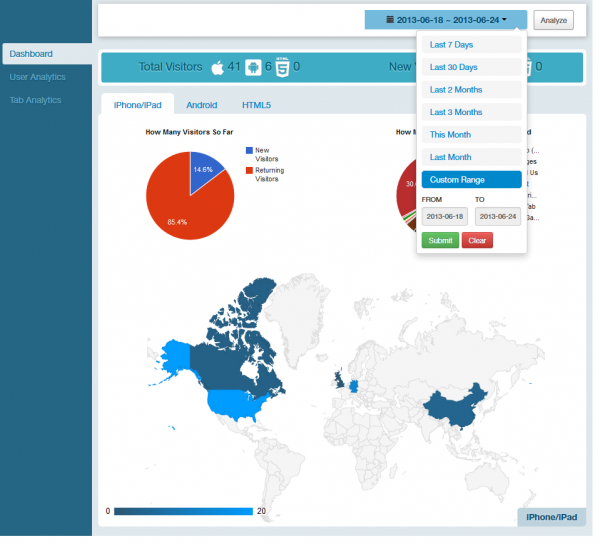
New Advanced App Usage Analytics
What can I see with the new analytics system?
- Check usage by location
- Check usage by app feature or tab
- Compare usage by platform (iOS vs Android vs HTML5)
- See New Visitors vs Total Vistors
- Understand what is working and what is not
- Improve your mobile app based off of advanced analytics
- And much much more…
Read our help desk article about this new feature here.
New Membership Tab
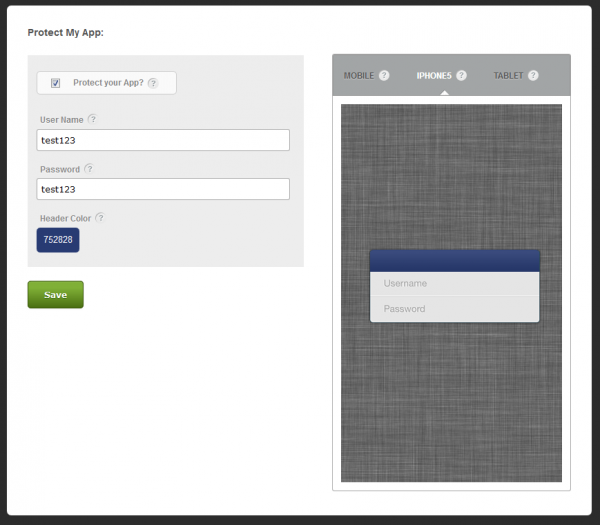
What is the Membership Tab?
The membership tab is a way for you to set a username & password for users to access your app. This feature can be a great way for exclusive groups to create mobile apps for their audience.
- Fitness Clubs
- Organizations
- Fraternities & Sororities
- Local Governments
- Internal Business Apps
- Chamber Of Commerce
- And many other industries
Read our help desk article about this new feature here.
How does the new home tab work?
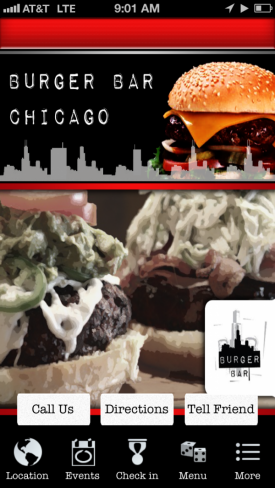
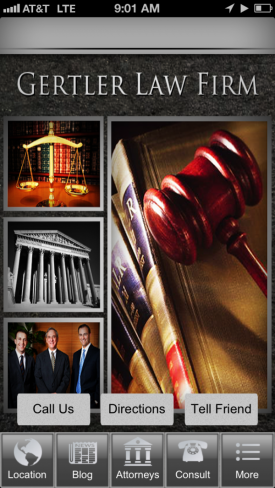
For the home tab, we’ve made some significant changes to improve the customer experience within your application. We removed the home tab from use and instead placed its functionality onto the front of your app rather than a tab. We’ve decided to remove the classic design from our apps to ensure that we provide the highest quality mobile app to our customers.
Removing the classic design will allow our development team to focus on premium designs only which will then reduce bugs, speed up loading times, and allow us to roll out feature upgrades much faster. Classic and Premium are essentially 2 different mobile apps inside of our single app’s source code, and removing the older classic design will drastically improve our development ability for our clients moving forward.
Here is a quick summary of the changes:
- Uploading a home background can now be done on step 3 under “background images”
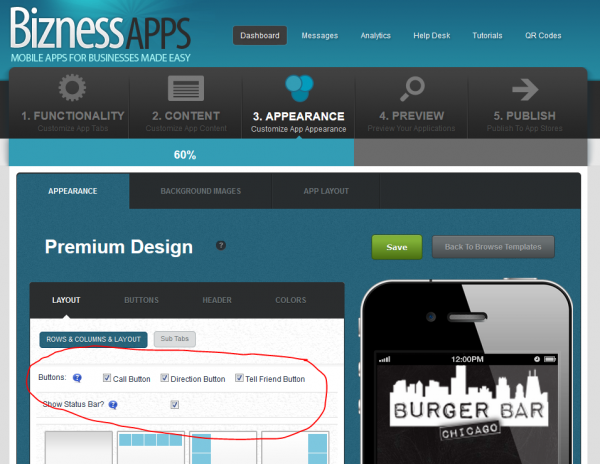
- You can now add the “call us / directions / tell friend” buttons to the front of your app
- You can now add sub-tabs to the front of your app
Read our help desk article about this new feature here.
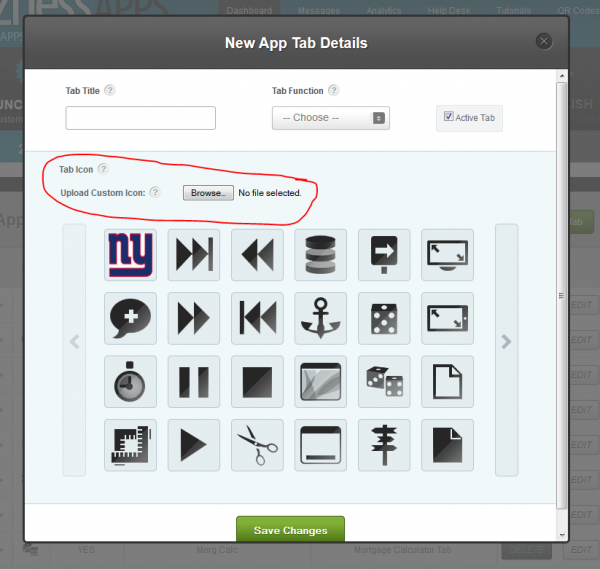
How can you upload a new custom icon?
1. Go to step 1
2. Click Edit or Add New Tab
3. Upload your icon
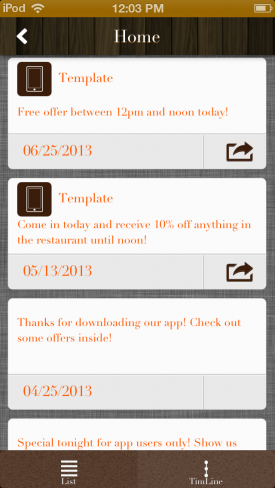
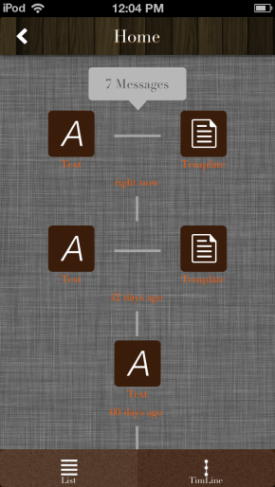
What is new about the messages tab?
- New design for the messages area to access images, URLs, and other content
- Beautiful new timeline feature available
Common Questions
1. How do I enable these new features for older apps?
To enable these features inside your app we’ll need to update your apps source code. On Android, you can do this easily by publishing an app update. See this article here: http://biznessapps.desk.com/customer/portal/articles/296551-how-can-i-update-my-android-apps-. On iPhone, we require a $50 fee to update any apps to enable new features because it takes us about 1 hour to update each iPhone app. We recommend passing this cost along to your client if they’re interested in the new features. You can also view the new features in your app immediately with our preview tools. Please make sure to check for any app updates that might be available!
2. How do I view my old download analytics for older apps?
You can still view app download figures at anytime from within your developer accounts. Here is a support center article that details how to do so: http://biznessapps.desk.com/customer/portal/articles/1200976-how-do-i-check-my-app-download-analytics-
If you’d like to have new analytics enabled for your mobile apps you’ll simply need to update your apps. For Android, this can be done for free by republishing and updating in Google Play. For iPhone, you can also republish to our team to reupload but there is a $50 fee as it takes us about an hour to update each app-please be sure to include a note in the Special Uploading Instructions that explains you are republishing for the new features. For HTML5 mobile websites, this is instantly active and available for use right now.
3. Are these features available now for all new mobile apps?
Yes. All new features are available with every app that we upload moving forward.
If you have any other questions please email us at [email protected] for a prompt response.
Thanks again for all your support!
 Previous Blog Posts